
Migrating to Pathfinder x64
Download the 64-bit installer
Get the latest 64-bit installer from the Pathfinder Portal.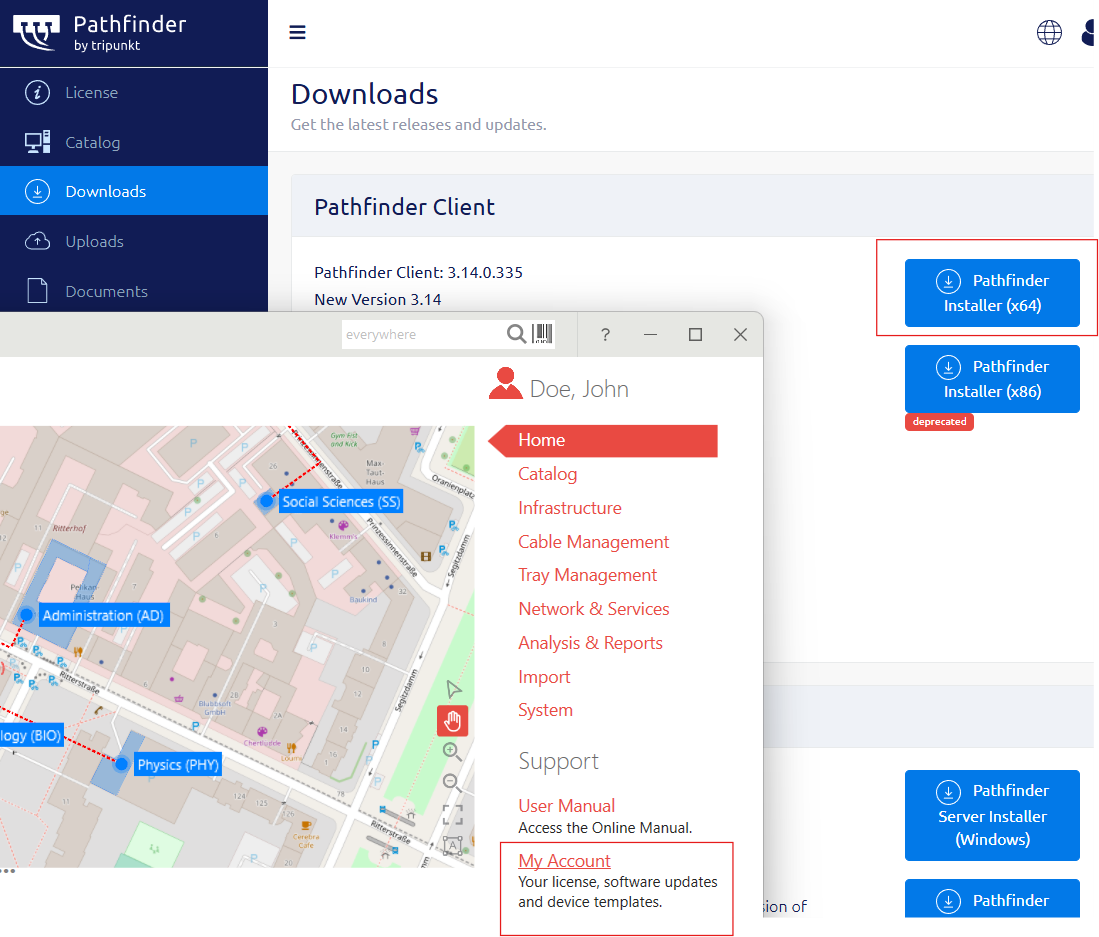
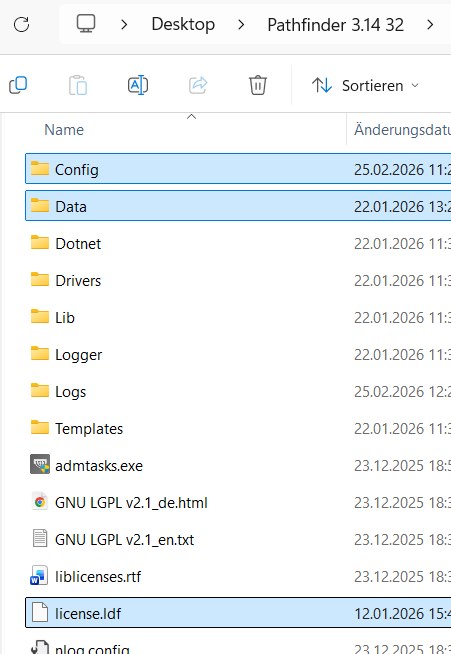
Back up your existing settings + license (from 32-bit)
From your current 32-bit Pathfinder installation, back up:the
Configfolderthe
Datafolderthe license file
license.ldf
Install Pathfinder 64-bit
Install the 64-bit version of Pathfinder either locally or portably.Restore settings + license into the 64-bit install
CopyConfig,Dataandlicense.ldfinto the new 64-bit installation location, replacing existing files if prompted.Remove the old 32-bit version (optional)
Once you’ve confirmed the 64-bit version works, you can uninstall Pathfinder 32-bit.

Pathfinder Lite users will also need to share the new machine ID with our support team.